Chapter 11: Voice-to-Action with Whisper
Chapter 11: Voice-to-Action with Whisper
Objective: Convert spoken language into actionable text commands for robotic systems.

11.1 Introduction to ASR (Automatic Speech Recognition)
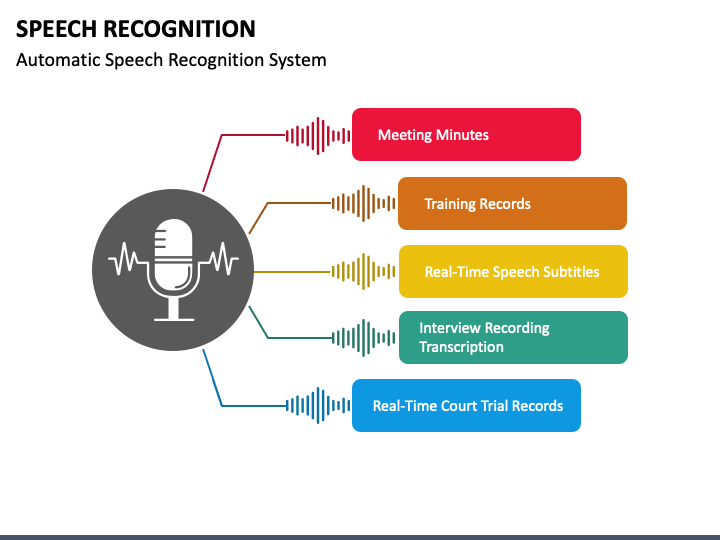
Automatic Speech Recognition (ASR) is the technology that allows computers to understand spoken language. It converts audio signals into text. ASR is a critical component for natural human-robot interaction, enabling robots to respond to voice commands, participate in conversations, and understand their environment through auditory cues.
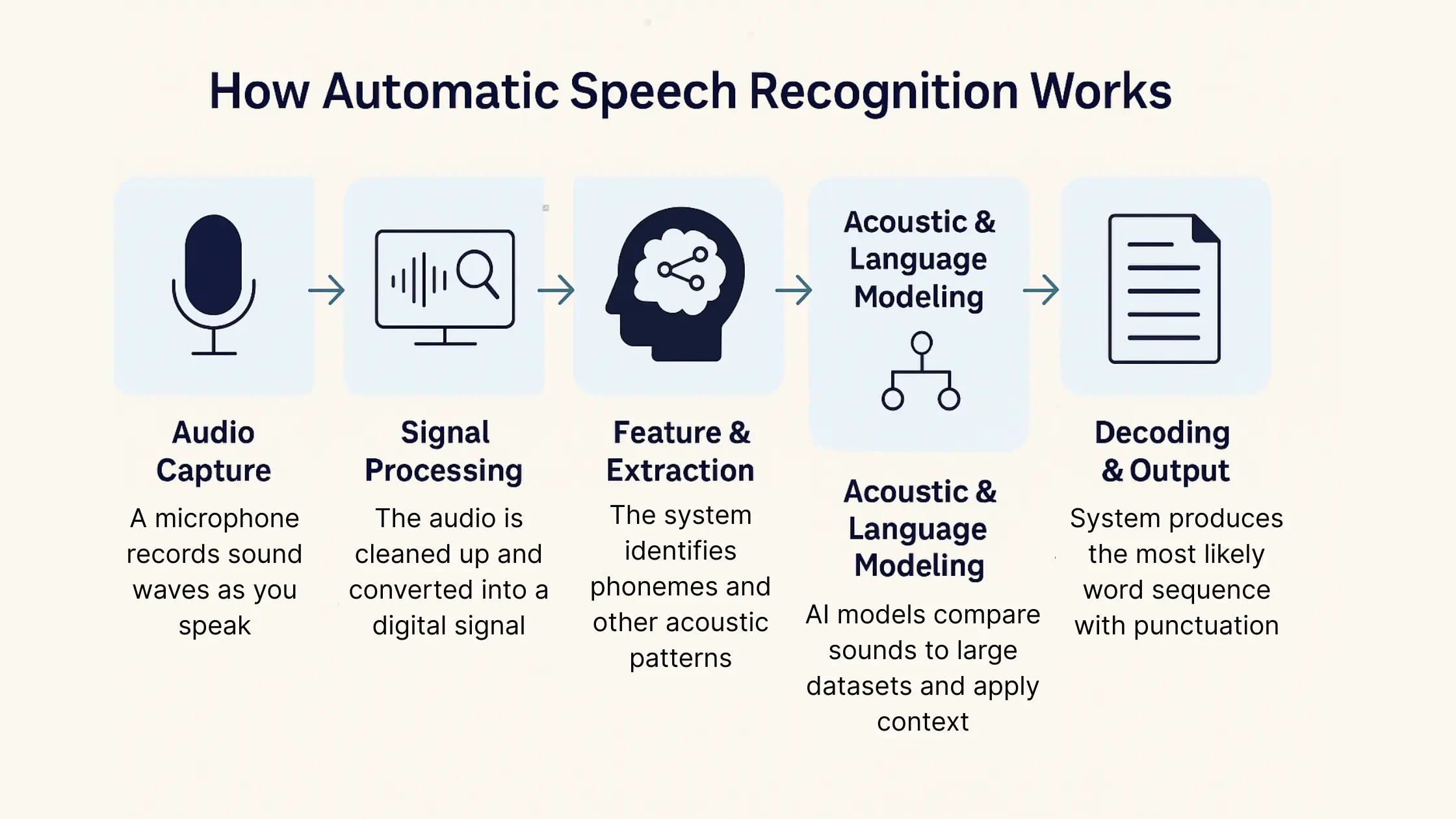
The ASR pipeline typically involves:
- Audio Capture: Recording sound from a microphone.
- Feature Extraction: Converting raw audio into meaningful features (e.g., spectrograms).
- Acoustic Model: Mapping acoustic features to phonemes or sub-word units.
- Language Model: Predicting the sequence of words.
- Decoding: Generating the most probable sequence of words from the acoustic and language models.
11.2 Using OpenAI Whisper
OpenAI Whisper is a powerful, general-purpose ASR model that has revolutionized speech-to-text transcription. It was trained on a massive dataset of diverse audio and text from the internet, making it highly robust to accents, background noise, and technical language. Crucially, Whisper is multilingual and can also translate speech from many languages into English.
For robotic applications, Whisper offers several advantages:
- High Accuracy: Crucial for correctly interpreting commands.
- Multilingual Support: Enables interaction with a global user base.
- Open-Source & API: Flexible deployment options.
Setting up the Whisper API or Local Model
1. Cloud-Based API (Recommended for simplicity and performance):
- Obtain an API key from OpenAI.
- Use the OpenAI Python client library to send audio files or streams to the Whisper API endpoint.
2. Local Model (More computationally intensive):
- Install the Whisper Python package (
pip install openai-whisper). - Download a pre-trained Whisper model (e.g.,
base,small,medium,large). - Run the transcription locally using your GPU (if available).
11.3 Creating a ROS 2 Node for Voice Command Transcription
We will create a ROS 2 Python node that:
- Captures audio from a microphone.
- Sends the audio data to the OpenAI Whisper API.
- Publishes the transcribed text to a ROS 2 topic.
import rclpy
from rclpy.node import Node
from std_msgs.msg import String
import pyaudio
import wave
import openai
import os
import io

class VoiceCommandTranscriber(Node):
    def __init__(self):
        super().__init__('voice_command_transcriber')
        self.publisher_ = self.create_publisher(String, '/voice_command/text', 10)
        self.get_logger().info('Voice Command Transcriber node started.')

        # Initialize OpenAI API client (replace with your API key)
        openai.api_key = os.getenv("OPENAI_API_KEY", "YOUR_OPENAI_API_KEY")

        # Audio recording parameters
        self.FORMAT = pyaudio.paInt16
        self.CHANNELS = 1
        self.RATE = 16000 # Sample rate for Whisper
        self.CHUNK = 1024 # Buffer size
        self.RECORD_SECONDS = 5 # Record for 5 seconds per command

        self.audio = pyaudio.PyAudio()
        self.stream = None # Will be opened when recording starts

        self.get_logger().info("Ready to record voice commands.")

    def record_and_transcribe(self):
        self.get_logger().info("Recording...")
        frames = []
        self.stream = self.audio.open(format=self.FORMAT,
                                      channels=self.CHANNELS,
                                      rate=self.RATE,
                                      input=True,
                                      frames_per_buffer=self.CHUNK)

        for _ in range(0, int(self.RATE / self.CHUNK * self.RECORD_SECONDS)):
            data = self.stream.read(self.CHUNK)
            frames.append(data)

        self.get_logger().info("Finished recording. Transcribing...")

        self.stream.stop_stream()
        self.stream.close()

        # Save audio to a BytesIO object to avoid disk I/O
        audio_file = io.BytesIO()
        wf = wave.open(audio_file, 'wb')
        wf.setnchannels(self.CHANNELS)
        wf.setsampwidth(self.audio.get_sample_size(self.FORMAT))
        wf.setframerate(self.RATE)
        wf.writeframes(b''.join(frames))
        wf.close()

        audio_file.name = "voice_command.wav" # Required by OpenAI API
        audio_file.seek(0) # Reset stream position

        try:
            response = openai.Audio.transcribe("whisper-1", audio_file)
            transcribed_text = response['text']
            self.get_logger().info(f"Transcribed: '{transcribed_text}'")

            msg = String()
            msg.data = transcribed_text
            self.publisher_.publish(msg)
            self.get_logger().info(f"Published voice command: '{transcribed_text}'")
        except Exception as e:
            self.get_logger().error(f"Error transcribing audio: {e}")

        self.stream = self.audio.open(format=self.FORMAT,
                                      channels=self.CHANNELS,
                                      rate=self.RATE,
                                      input=True,
                                      frames_per_buffer=self.CHUNK)


def main(args=None):
    rclpy.init(args=args)
    transcriber_node = VoiceCommandTranscriber()
    # In a real application, you'd trigger record_and_transcribe based on a button press or wake word
    # For now, we'll just run it once for demonstration.
    transcriber_node.record_and_transcribe()
    rclpy.spin_once(transcriber_node, timeout_sec=0.1) # Process pending messages
    transcriber_node.destroy_node()
    rclpy.shutdown()

if __name__ == '__main__':
    main()
11.4 Command Parsing
Once you have the transcribed text, the next step is to parse it into a format that the robot can understand. This often involves:
- Keyword Extraction: Identifying key verbs (e.g., "go", "pick", "find") and nouns (e.g., "kitchen", "red block").
- Entity Recognition: Identifying specific objects, locations, or commands.
- Intent Classification: Determining the high-level goal of the command.
This parsed command will then be fed into a cognitive planning system (like an LLM) to generate a sequence of robot actions.